Fedora Linux Editions: Choosing the Right Version for Your Needs
Fedora is renowned for being a cutting-edge Linux distribution that balances innovation with stability. To cater to a diverse range of users—from software developers and system administrators to casual desktop users—the project offers several distinct editions. While it began with three primary options in Fedora 21, the ecosystem has expanded to six official editions as of version 42.
Key Facts
- Fedora Workstation is the flagship desktop experience, featuring GNOME by default.
- Atomic Desktops provide an immutable system design for increased stability and easier rollbacks.
- Fedora Spins allow users to choose alternative desktop environments like Xfce, Cinnamon, or Sway.
- Fedora CoreOS is a minimal, container-optimized image designed specifically for cloud computing.
- Primary Architectures supported include x86-64 and ARM AArch64.
Desktop Experiences: Workstation and Spins
The Fedora Workstation edition is designed for users who need a powerful, reliable operating system for laptops or desktops. It aims to provide a user-friendly experience while remaining on the bleeding edge of technology. By default, it ships with the GNOME desktop environment, though users can install others. Notably, starting with Fedora 42, KDE Plasma was promoted to a regular edition on the same level as the GNOME-based Workstation.
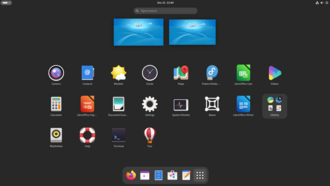
For those who prefer a different visual or functional interface, the project offers Fedora Spins. These are official variations of Fedora that come pre-packaged with different desktop environments. As of Fedora 44, available spins include Xfce, LXQt, MATE (with Compiz), Cinnamon, LXDE, SoaS, i3, KDE Plasma Mobile, Budgie, Sway, Miracle, and COSMIC.
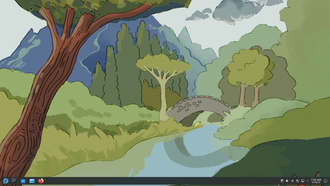
Beyond official spins, the community can create Fedora Remixes. These are unofficial variants that are permitted to use the "Fedora Remix" name, provided they use a specific provided logo instead of the official one.
Atomic Desktops: The Immutable Future
Fedora offers a specialized category of immutable editions known as Atomic Desktops. Unlike traditional installations, an atomic installation is identical across all devices of the same version and does not change during use. This design minimizes bugs, simplifies testing, and provides a robust platform for containerized applications.
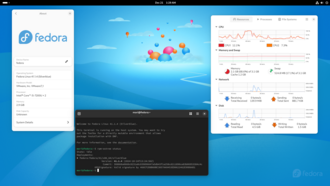
Key benefits of the atomic architecture include:
- Isolation: Applications and containers are kept separate from the host system.
- Efficiency: OS updates are fast and bypass the traditional installation stage.
- Reliability: Users can easily roll back to a previous OS version if an update causes issues.
Current Atomic editions are available for Budgie, COSMIC, GNOME (known as Silverblue), KDE Plasma (known as Kinoite), and Sway. This effort, supported by Red Hat engineers and independent contributors, utilizes technologies such as OSTree (a version-control system for OS binaries), Wayland (a communication protocol between a display server and its clients), and Flatpak (a utility for deploying universal applications).
Specialized Editions: Server, IoT, and CoreOS
For infrastructure and hardware-specific needs, Fedora provides several targeted editions:
- Fedora Server: Tailored for data centers, this edition includes the latest server technologies. It does not include a desktop environment by default, though one can be added. Since Fedora 28, it has supported Fedora Modularity, allowing alternative update streams for software like Go and Node.js.
- Fedora IoT: Specifically designed for Internet of Things devices, supporting aarch64, x86_64, and armhfp processors.
- Fedora CoreOS: The successor to Fedora Atomic Host and Container Linux, CoreOS is a minimal image optimized for deploying containers in cloud computing environments.
Fedora Labs and Custom Variations
Fedora Labs are custom variations built for specific professional or hobbyist interests. Similar to Debian blends, these include curated software sets for:
- Gaming and Design
- Security and Robotics
- Scientific Computing (including tools like SciPy, Octave, Kile, Xfig, and Inkscape)
Additionally, the Fedora AOS (Appliance Operating System) was developed as a specialized spin with a reduced memory footprint to help developers and OEMs create pre-configured virtual appliances.
Technical Specifications and Compatibility
| Category | Details / Supported Options |
|---|---|
| Primary Architectures | x86-64, ARM AArch64 |
| Secondary Architectures | IBM Power64le, IBM Z (s390x), MIPS-64el, MIPS-el, RISC-V |
| Atomic Editions | Silverblue (GNOME), Kinoite (KDE), Budgie, COSMIC, Sway |
| Cloud/Infrastructure | Server, CoreOS, IoT |
While x86-64 and ARM AArch64 remain the primary targets, Fedora has expanded to several secondary architectures. Note that support for ppc64 ended with Fedora 28 (replaced by ppc64le) and ARM-hfp support ended with Fedora 36.
For expert users, Fedora also provides network installers and minimal installation images, allowing for a completely custom system configuration from scratch.
Frequently Asked Questions
What is the difference between a Fedora Spin and a Fedora Remix?
A Fedora Spin is an official variation distributed by the Fedora Project featuring different desktop environments. A Fedora Remix is an unofficial variant that is permitted to use the name "Fedora Remix" but must use a specific non-official logo.
What makes an "Atomic Desktop" different from a standard Workstation?
Atomic Desktops use an immutable system design, meaning the core OS does not change during use. This increases stability and allows users to roll back updates instantly, whereas standard Workstations use a traditional mutable file system.
Is Fedora CoreOS the same as Fedora Core?
No, Fedora CoreOS is a minimal, container-optimized image specifically for cloud deployment and is the successor to Fedora Atomic Host and Container Linux. It is distinct from the general Fedora Core concept.
Can I install a desktop environment on Fedora Server?
Yes. While Fedora Server does not come with a desktop environment by default to optimize resources for data center use, users have the option to install one manually.
Which architectures are primarily supported by Fedora?
The primary supported architectures are x86-64 and ARM AArch64, though several secondary architectures like RISC-V and IBM Z are also supported.